
Find the business,
win the customer.
LeadMap automatically collects business data from Google Maps, exports it to report-ready formats, and reaches your prospects via templated bulk WhatsApp messaging. It runs entirely locally.
30-day free trial · Your data stays on your computer · Windows 10 / 11
What is LeadMap?
LeadMap is a desktop tool that automates the entire lead-generation process for sales and marketing teams. You enter an industry and a location; the program scrapes Google Maps and streams company data into a live table. You then report on that data or reach out directly via templated bulk WhatsApp messages — turning hours of manual work into minutes.
End-to-end lead operations in one tool
Collect, manage, enrich and convert — all in one place.
Google Maps Scraping
Automatic scraping by industry + province + district. Multi-search queue, proxy support, sound & notification when finished.
Lead Management
Every scraped business is stored permanently in a local database. Search/filter, status tagging (Called / Interested / Customer), note-taking.
Lead Enrichment
Automatically pulls e-mail, Instagram and Facebook from a company’s website. Deepen your data with a single click.
Live Table & Stats
Sortable table; total & phone-bearing companies, average rating, elapsed and estimated remaining time — all in real time.
Multi-format Export
PDF, charted Excel, landscape Word table, CSV and direct copy to Google Sheets. Report-ready output.
WhatsApp Bulk Messaging
Template + live preview, daily limit, scheduling, attachments (image/PDF), A/B templates and session recovery.
Licensing & Auto-update
30-day trial, device lock and automatic updates as new versions ship. Ready for business use.
Bilingual & Theming
Instant switch between Turkish / English and Light / Dark themes. Adapts to your team’s preference.
Inside the app
A clean, fast, work-focused interface.
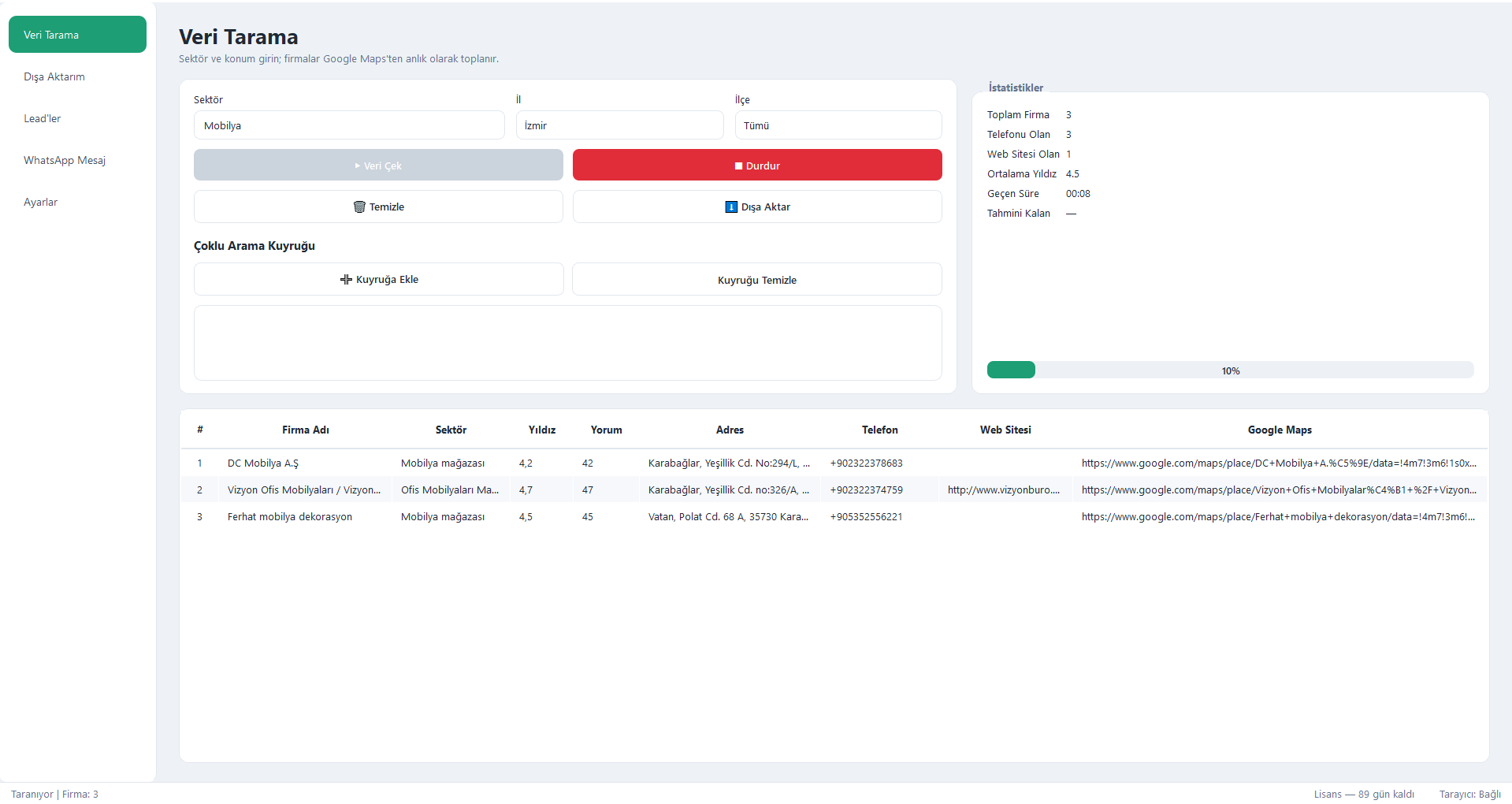
Enter an industry and location — LeadMap does the rest
Type an industry and a province/district; LeadMap scrapes Google Maps and streams business name, phone, address, rating and website into the table in real time. Queue multiple searches with the multi-search queue.
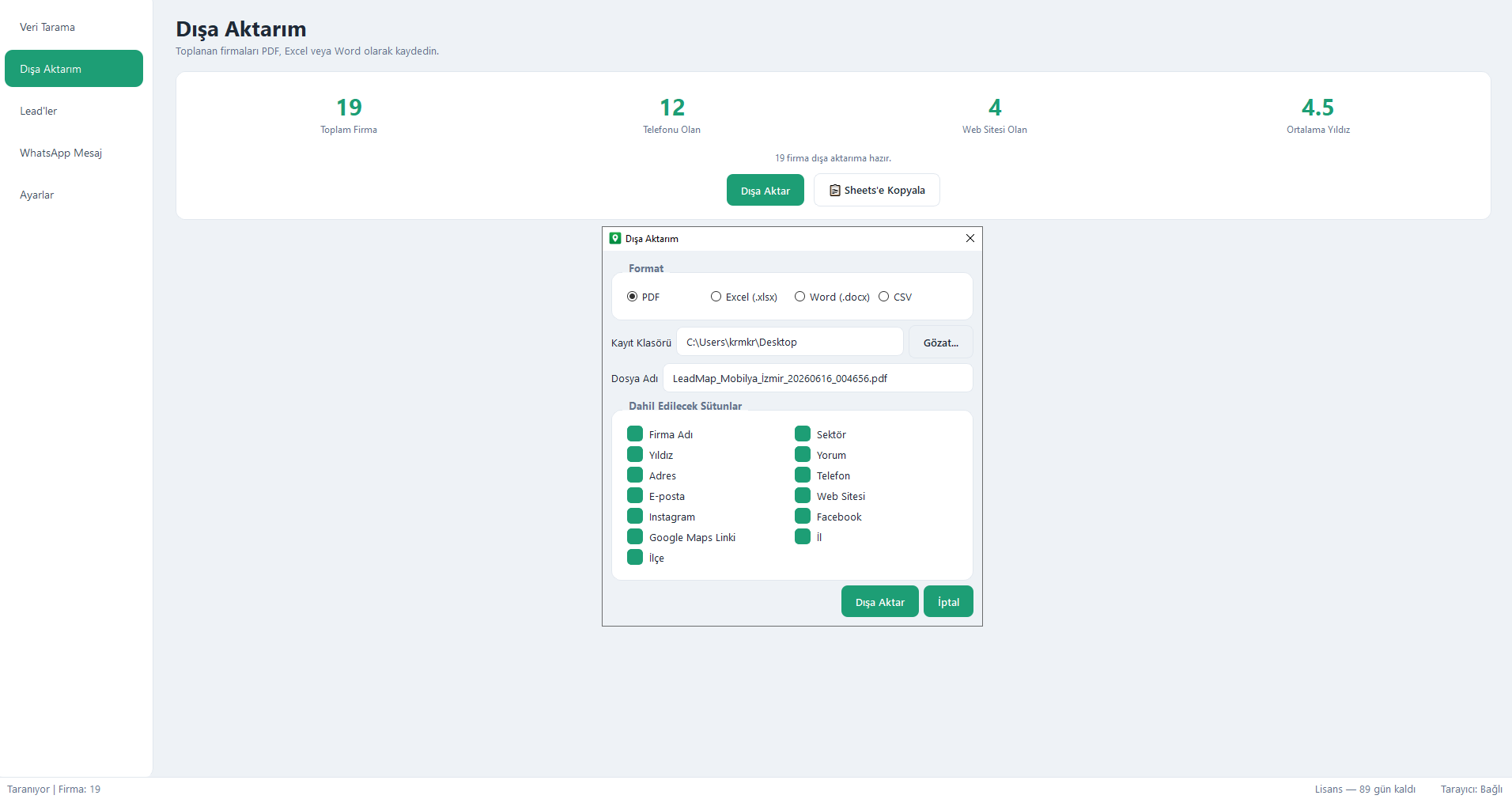
Report-ready output in one click
Save collected companies as PDF, Excel or Word, or copy them straight into Google Sheets. You pick the columns and format; the output arrives presentation-ready.
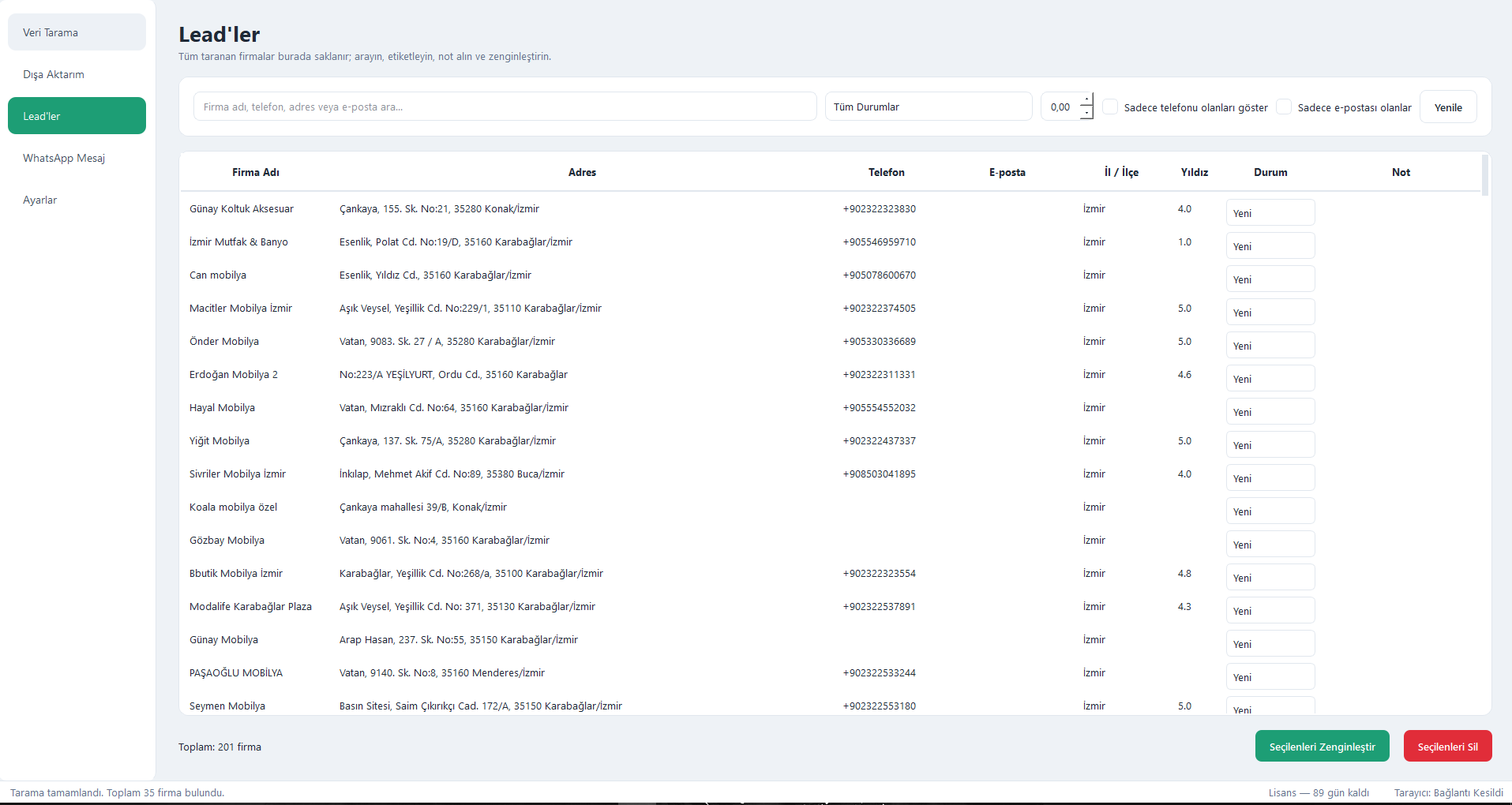
All your prospects on a single screen
Every scraped company is stored permanently. Search, filter, tag status (New / Called / Interested / Customer), take notes and enrich with e-mail and social data.
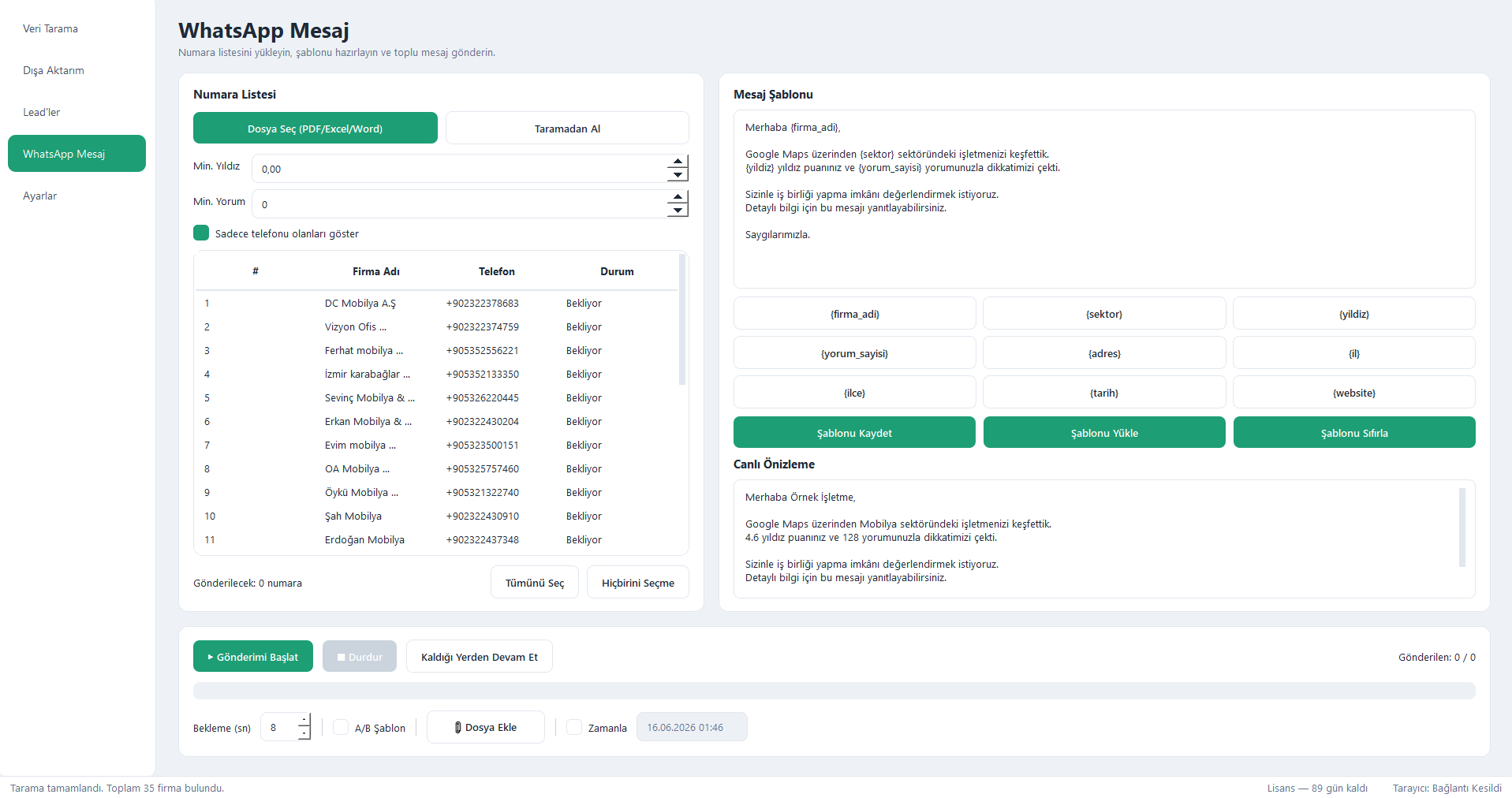
Accelerate conversion with templated bulk messaging
Load your number list, prepare a variable-driven template ({firma_adi}, {sektor}, {yildiz}…) and send bulk messages with live preview. Safe and measured with daily limits, scheduling and A/B testing.
From lead to customer in 3 steps
Scrape
Enter industry and location, hit “Scrape”. Companies are listed in real time.
Manage & Export
Tag and enrich your leads; save as PDF / Excel / Word.
Reach Out
Engage your prospects with templated bulk WhatsApp messages.
Your data is yours
LeadMap never sends any data to external servers. All scraping, reporting and messaging, plus your WhatsApp session profiles, stay only on your own computer. No cloud, no subscription lock-in — full control stays with you.
Choose the license that fits
30, 90 or 365-day license. Your code lands in your inbox instantly after payment.
For a quick start and campaign periods.
A balanced choice for teams wanting continuity.
Uninterrupted lead operations all year long.
Frequently asked questions
Is my data sent anywhere?
No. LeadMap runs entirely locally; all processing and session profiles stay on your own computer. It only communicates with Google and WhatsApp through your own browser.
Do I have to scan a QR code every time?
No. The WhatsApp session is kept in a persistent profile. A new QR is only needed if you clear the session yourself.
Do I need to install a separate browser?
No. It uses the Google Chrome or Microsoft Edge already on your system; it does not install an extra browser.
How does licensing work?
Start with a 30-day trial, then buy a 30 / 90 / 365-day license. Your license code is delivered to your e-mail instantly after payment.
Start collecting leads today
Try it free for 30 days, get your license when you’re ready.